


With the industry-wide introduction of Confirmation of Payee (CoP), it’s more important than ever to provide the correct account name to anyone paying you. A prospective payer using the wrong account name could cause the payment to be delayed or even cancelled.
For full details of what CoP is and how it works, please see our dedicated explainer page.
- Find your account name, BSB and account number in online banking.
- Share these details quickly and easily with prospective payers to your account.
How to share your account details
1
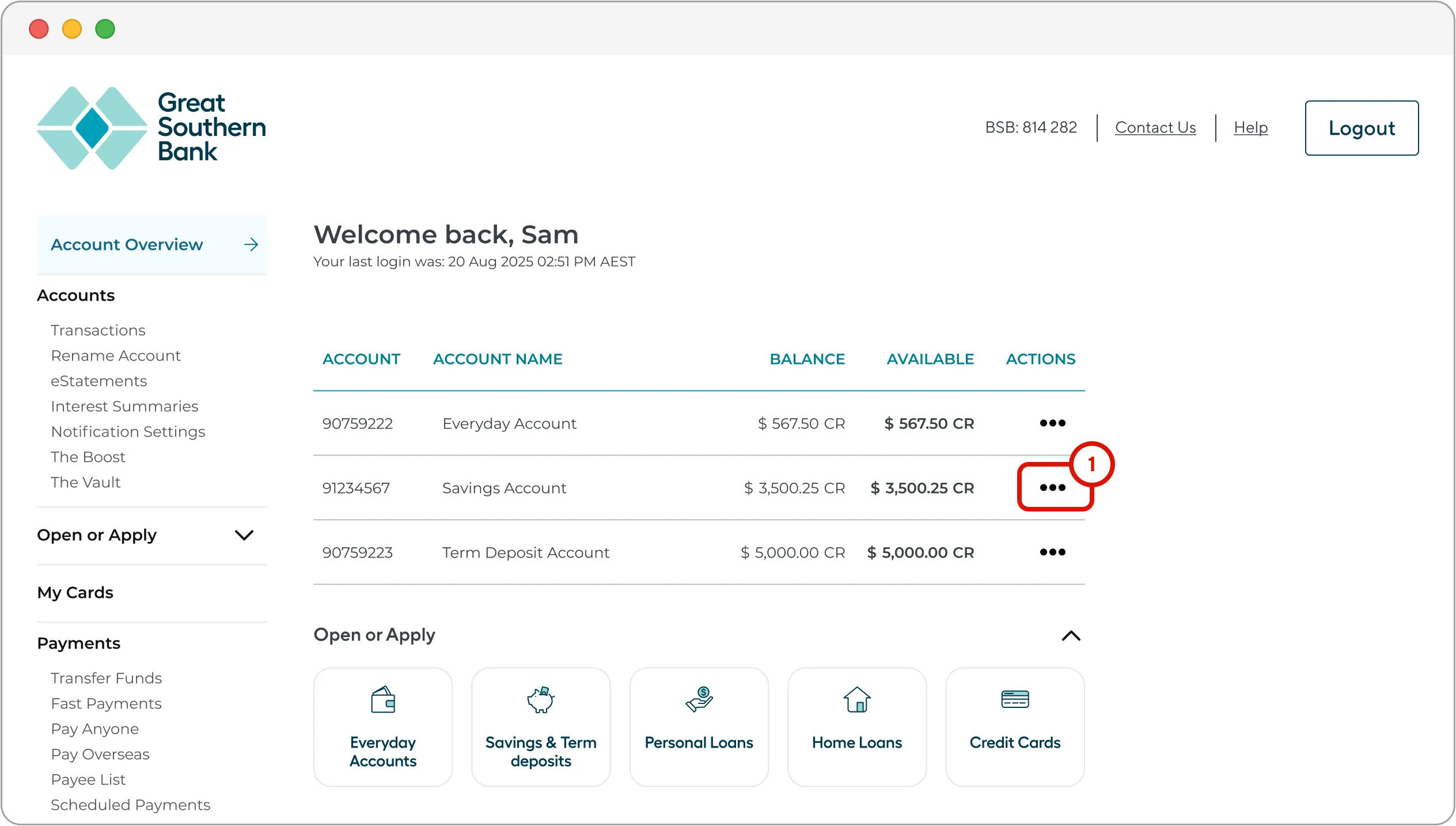
On the ‘Account Overview’ page, click on the ellipsis in the ‘ACTIONS’ column of the account whose details you wish to share.
2
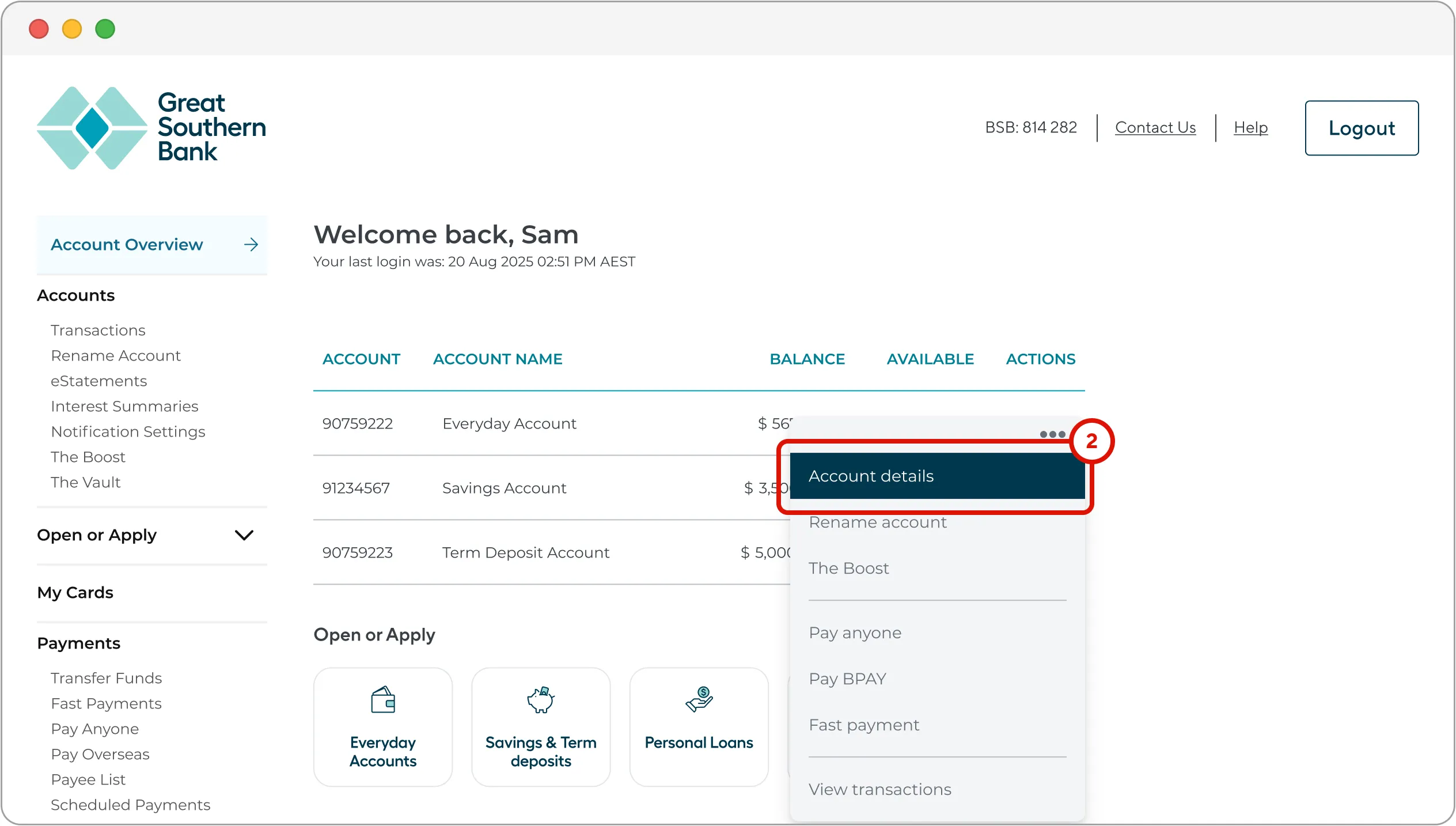
Select ‘Account details’ from the dropdown menu.
3
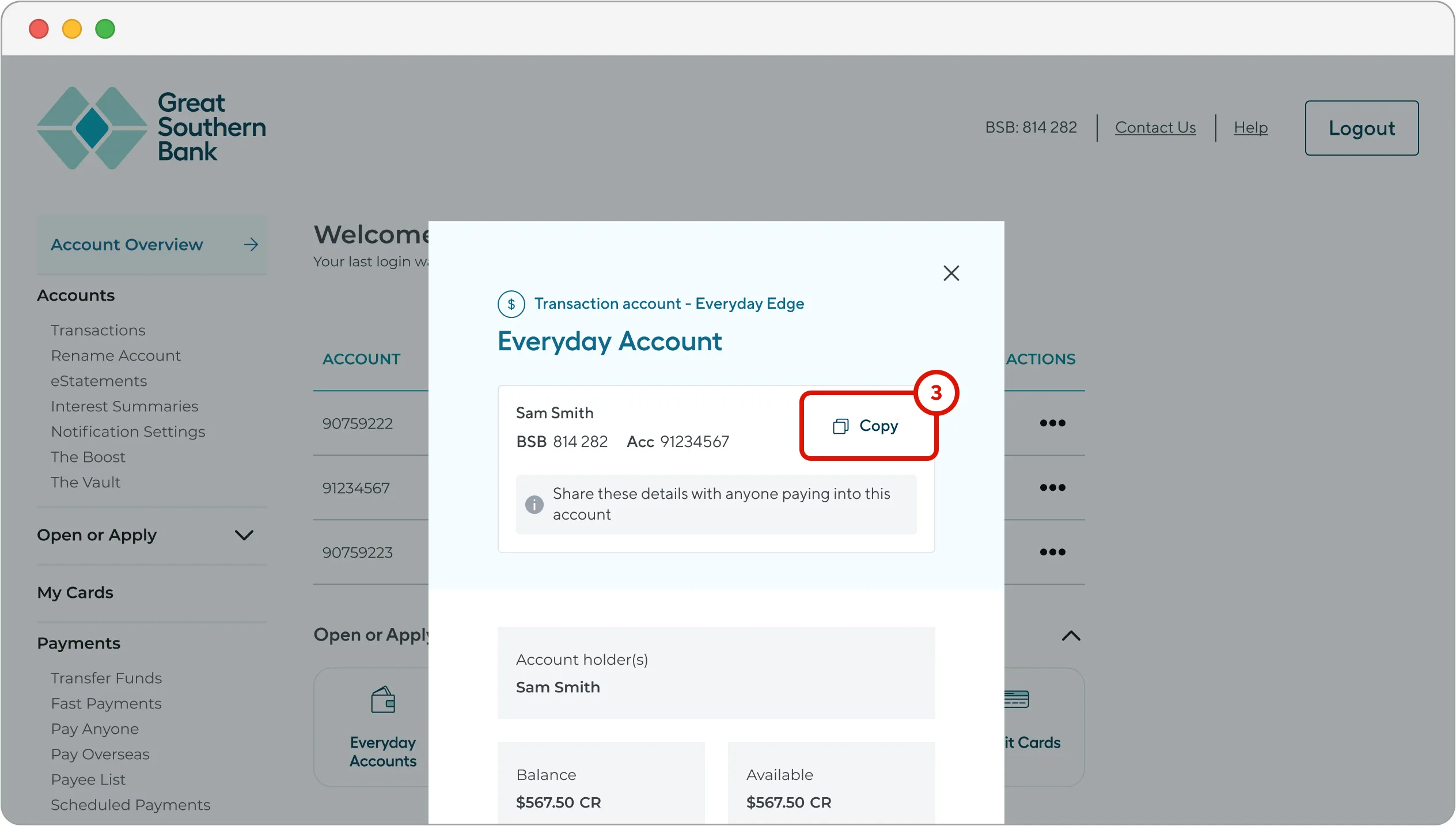
Click ‘Copy’ on the right-hand side of the popup window.
A message will appear to confirm that your details have been copied successfully.
4
You can now paste your account details, wherever you like (e.g. in an email) by right-clicking your mouse and selecting 'paste' or hitting Ctrl + C (Cmd + C on a Mac).